Wiring
Unfortunately, I have been all over the internet and I am unable to source all the cables that are needed from bambu or bambu suppliers. So now its either make my own or sourc aftermarket (am). We are going to try and source am first. These cables should be cheap enough that making them isnt worth the time. I am currently listing the connectors for each major board position to we can source cables with the correct connectors or cables we know that don’t have position switches in them. like Pin 1 here goes to pin 2 here. We will have to make a schematics section if we run across any of those.
Heater Chamber Board – DLB004
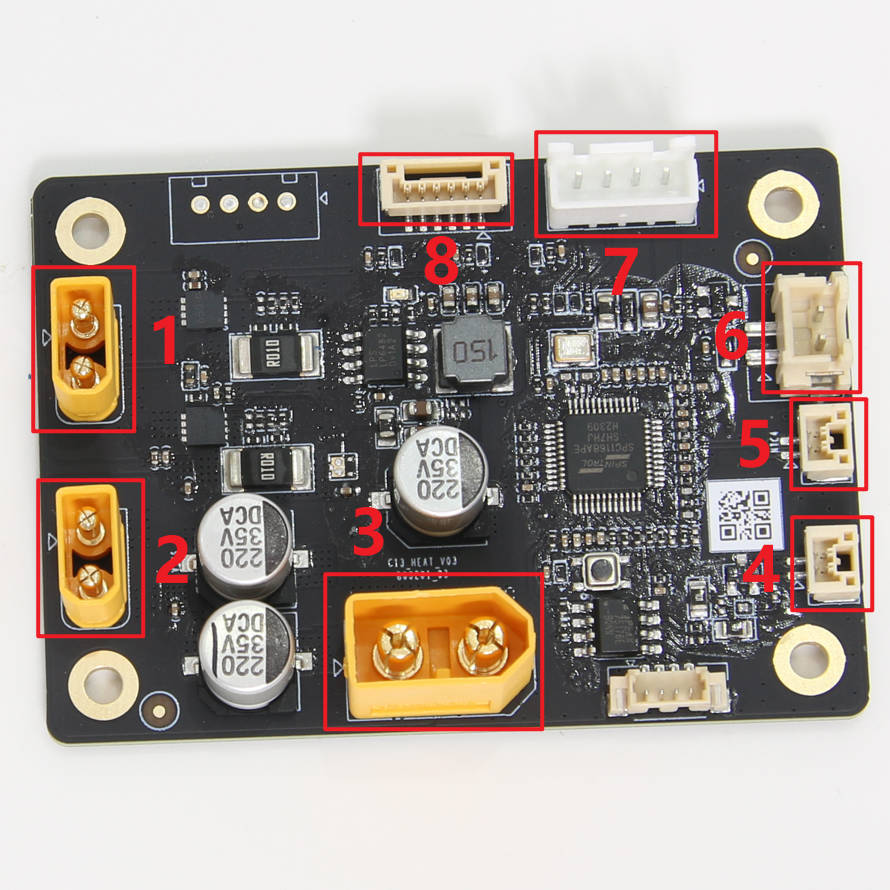
1- Chamber Heater Unit Black GND – xt30 connector
2- Chamber Heater Unit Red 24V – xt30 connector
3- Internal Power Supply (24V) – xt60 connector
4- Network Interface and AMS Connection Board – JST GH 1.25 connector
5- Internal Power Supply NTC – JST GH 1.25 connector
6- Power Cooling Fan
7- Chamber Heater Unit FAN – JST XH 2.54 connector
8- Chamber Heater Unit NTC
Unlabeled connector position to the left of #4 is a jst PB1.25 connector – no idea what this is for.
AP Board – DLB001
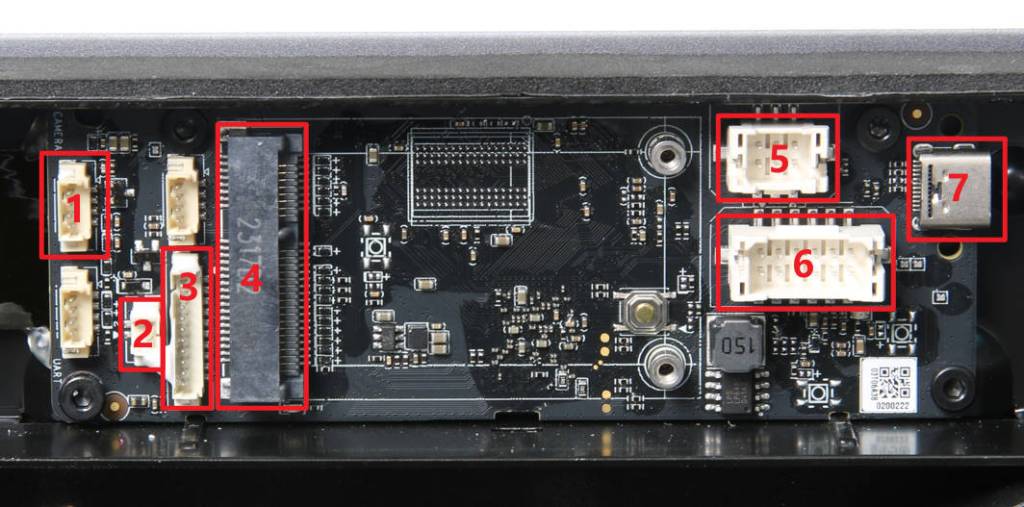
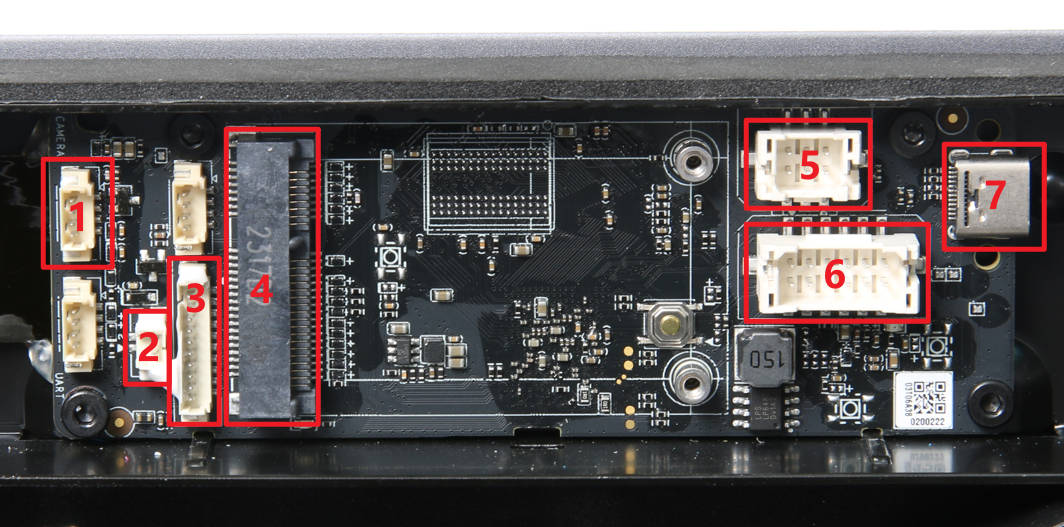
| NO. | Connect object | NO. | Connect object | NO. | Connect object |
| 1 | The chamber camera | 4 | Network Interface Board | 7 | USB-C cable to Toolhead |
| 2 | The chamber LED | 5 | MC board (Power) | ||
| 3 | Botton PCBA | 6 | MC board(Comunication) |
Connectors
| NO. | Connector | NO. | Connector | NO. | Connector |
| 1 | 4 | 7 | USB | ||
| 2 | 5 | JST PHB 2.0 | |||
| 3 | jst PB 1.25 | 6 | JST PHB 2.0 |
Cables 1 and 2 come with the camera and led
Cable 3 – Not available – This is a 28awg 10 wire ribbon cable jst PB 1.25 connectors. I have not found a sutable replacement. I made my own. – your going to need a magnifying glass for these tiny terminals
Cables 5, 6 and 7 are available from Bambu at the time of writing.
Part number for cable 5 and 6 – CAB015 – They come as a set
Part number for cable 7 – CAB001
Network Interface Board -DLB002
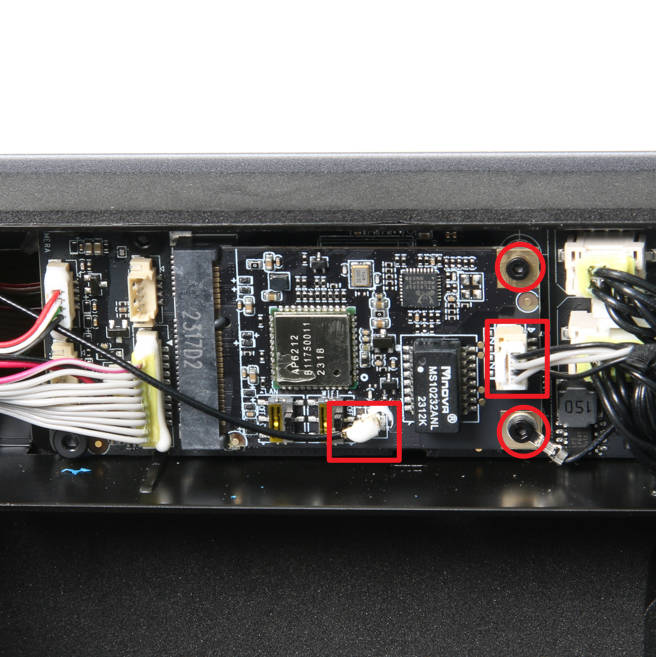
These are not numbered but should be easy enough.
Center bottom of board is the wifi antenna. I will not be hooking this up.
The connector in the middle is a 4 pin JST GH 1.25
The bottom right is a ground connection but I am unsure what cable that goes to currently.
MC Board – DLB020
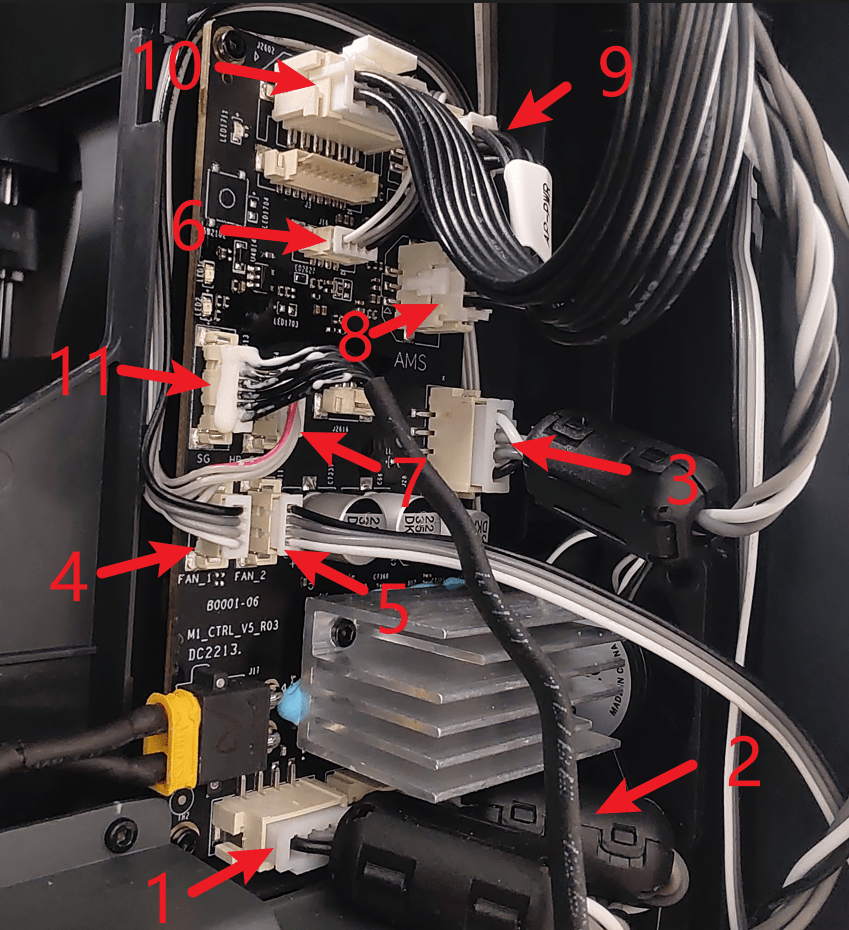
| NO. | Connect object | NO. | Connect object | NO. | Connect object |
|---|---|---|---|---|---|
| 1 | Motor Z | 5 | Auxiliary part cooling fan | 9 | AP main board (Power cable) |
| 2 | Motor B (right side when viewed from the rear) | 6 | MC board fan | 10 | AP main board Communication cable |
| 3 | Motor A (left side when viewed from the rear) | 7 | MC board to AC board connecting cable | 11 | Heat bed Communication cable |
| 4 | The chamber temperature regulator fan | 8 | AMS interface board |
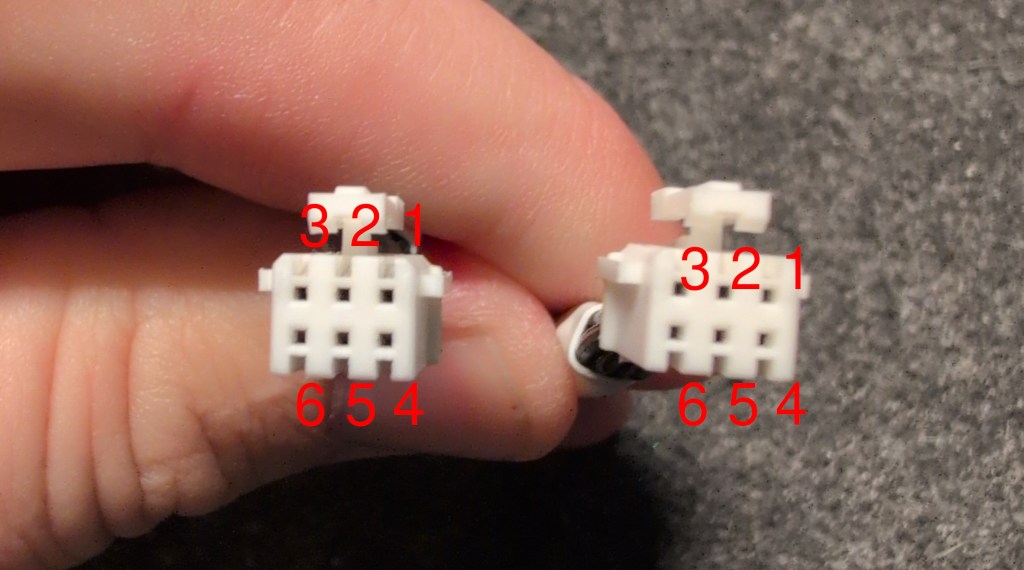
| NO. | Connector | NO. | Connector | NO. | Connector |
|---|---|---|---|---|---|
| 1 | 5 | 9 | JST PHB 2.0 | ||
| 2 | 6 | 10 | JST PHB 2.0 | ||
| 3 | 7 | 11 | |||
| 4 | 8 |
AMS Cable
Network Interface and AMS Connection Board – DLB003
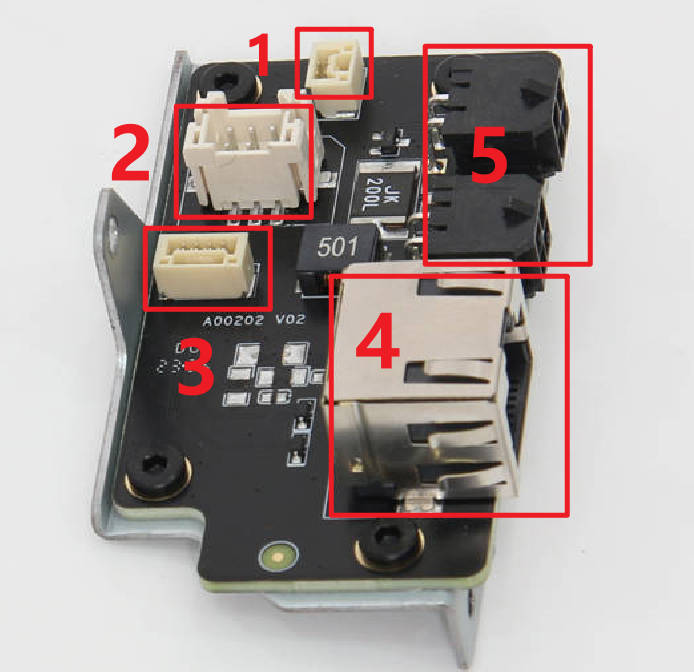
| Interface number in picture | 1 | 2 | 3 | 4 | 5 |
|---|---|---|---|---|---|
| Connected components | Chamber Heater Control Board | MC board | Network Interface Board | Network Cable | AMS |
| Interface number in picture | 1 | 2 | 3 | 4 | 5 |
|---|---|---|---|---|---|
| Connected components | JST GH 1.25 | JST PHB 2.0 | JST GH 1.25 | RJ45 | AMS Cable |
Button Board Front Panel – DLB016
Not the same as the x1c. The x1e has an additional connector on the board that is used for the front led used on the x1e. You can however sauder the connector on yourself to add that function.
https://forum.bambulab.com/t/x1c-led-upgrade-using-x1e-front-led/183397
I ordered these to try from aliexpress. I could not seem to locate these locally.
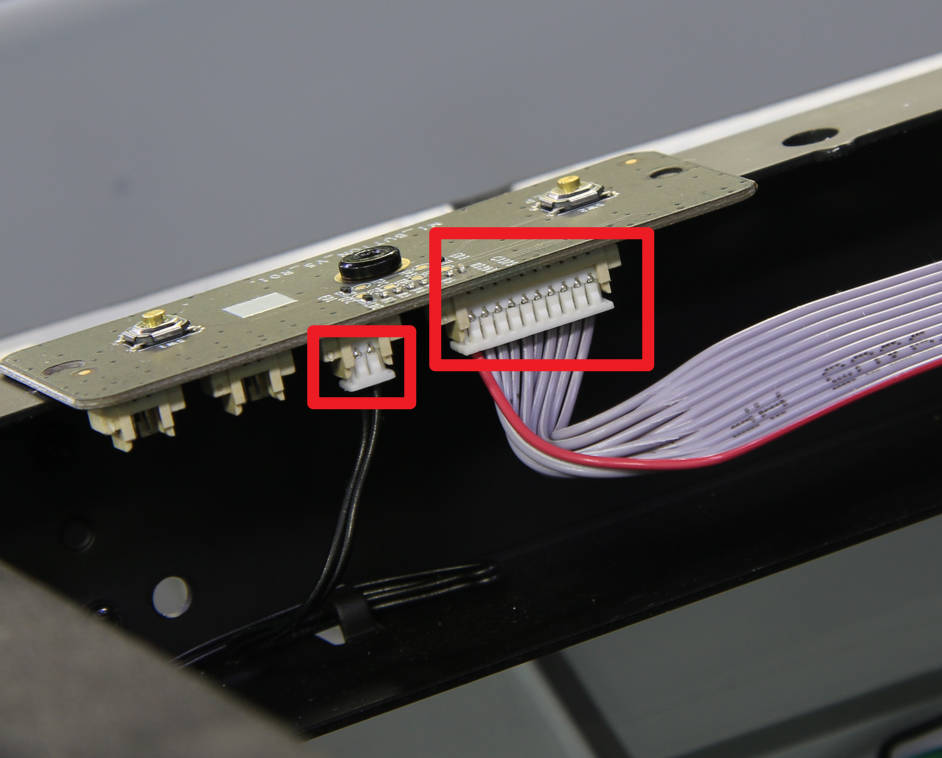
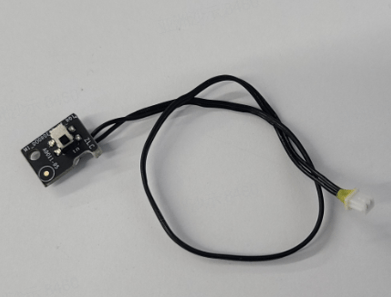
2 pin – this is the door sensor which comes with the connector already attached.
Door Sensor – FAC053
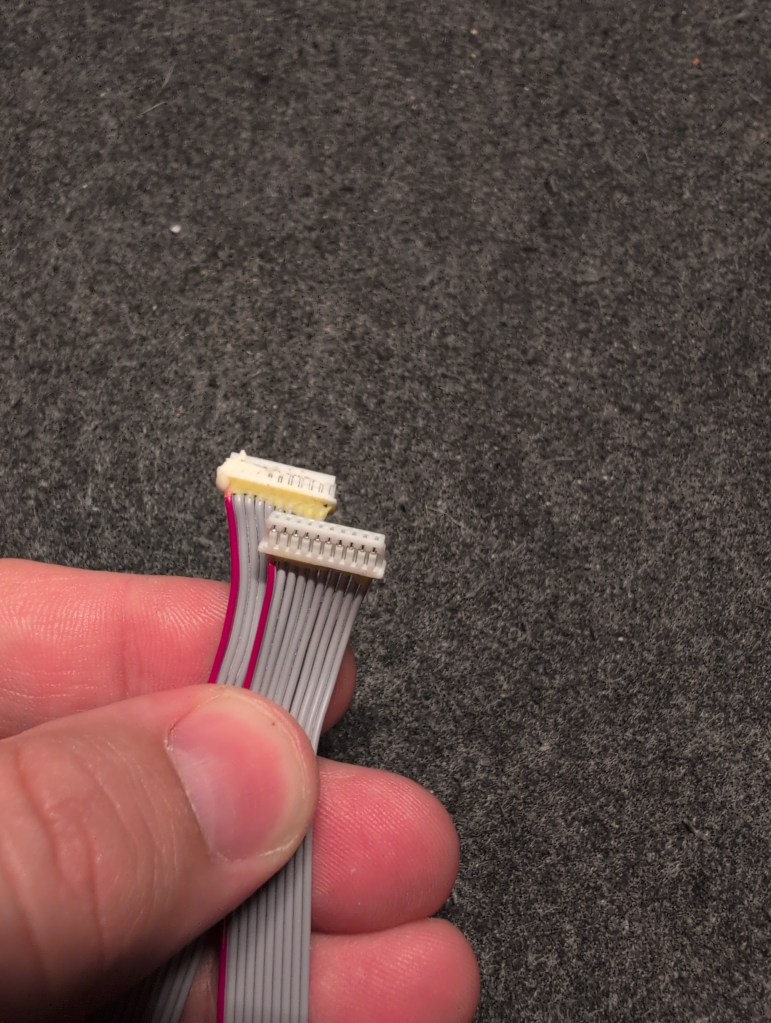
10pin JST PB 1.25 connectors
cable length is 15.5 inches in total length. end of connector to end of connector
Branding on the cable is e490463 awm 2651 300v 28awg. shunjia. – I searched for this and couldn’t find it. The length of 15.5 inches makes it an odd size and I have no found anyone that stocks it.
Connector orientation – If you lay the cable flat on the table, The left side will be the front of the connector and the right will be the back side.
The image is the cable as a U shape with no twists.
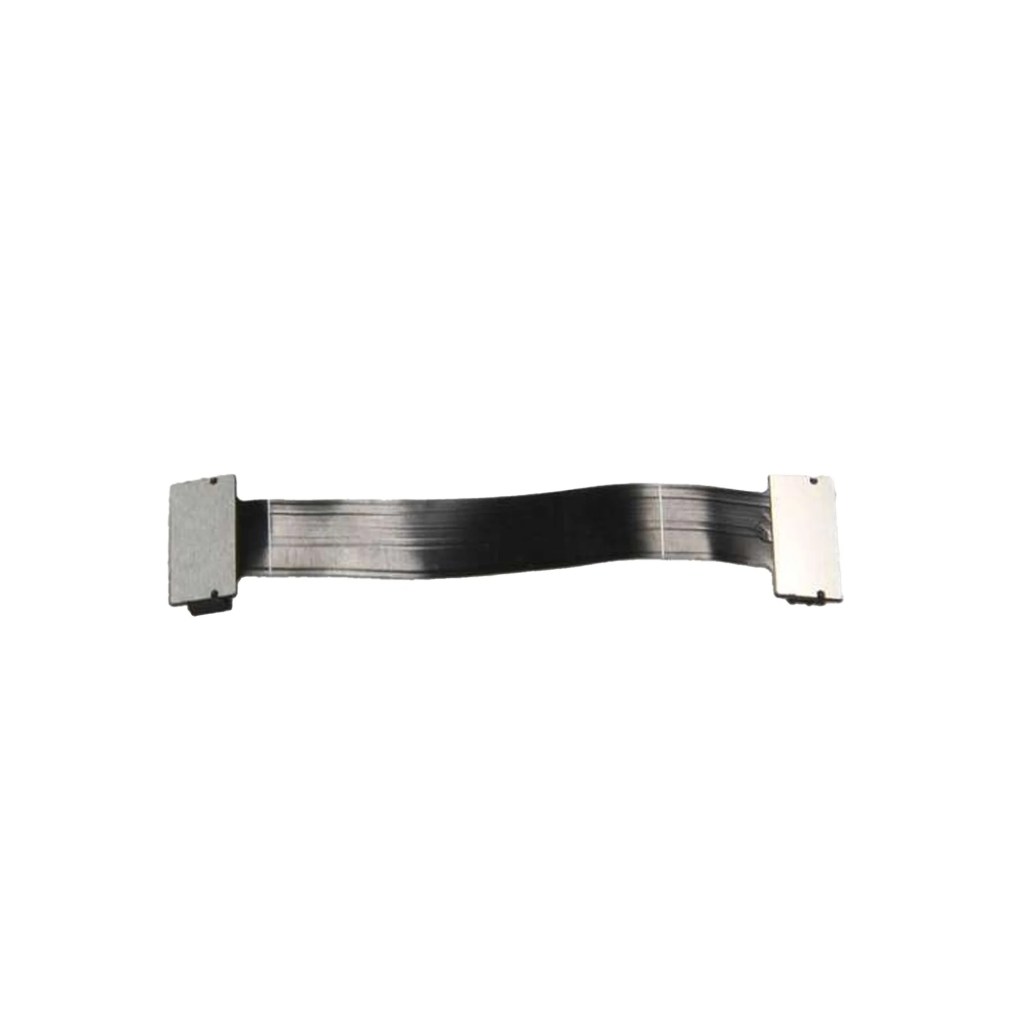
TH Board FPC Cable for X1E – CAB009
Power Cooling Fan for X1E – FAF009
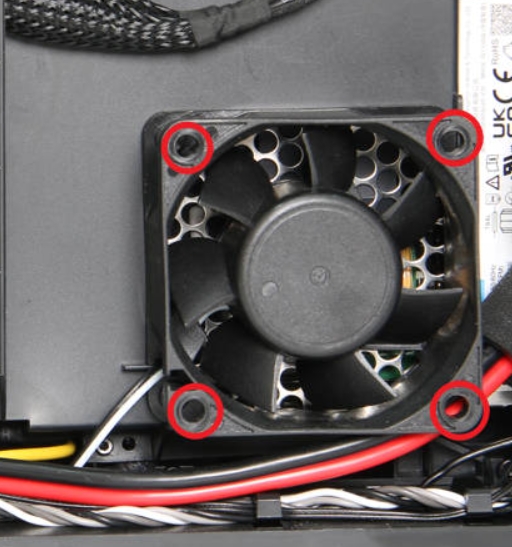
60 x 60 x 25 two wire fan
 blog.jbtuned.com
Leave a comment